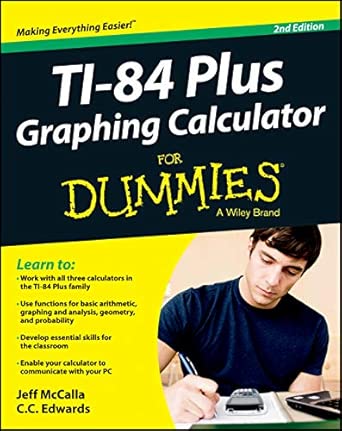
Ti-84 Plus Graphing Calculator For Dummies 2nd Edition
Author(s): McCalla (Author)
Publisher: For Dummies
Publication Date: 7 Jun. 2013
Edition: 2nd
Language: English
Print length: 344 pages
ISBN-10: 9781118592151
ISBN-13: 9781118592151
Book Description
Get up-to-speed on the functionality of your TI-84 Plus calculator
Completely revised to cover the latest updates to the TI-84 Plus calculators, this bestselling guide will help you become the most savvy TI-84 Plus user in the classroom! Exploring the standard device, the updated device with USB plug and upgraded memory (the TI-84 Plus Silver Edition), and the upcoming color screen device, this book provides you with clear, understandable coverage of the TI-84’s updated operating system.
Details the new apps that are available for download to the calculator via the USB cable
Walks you through menus and basic arithmetic
Addresses graphing and analyzing functions as well as probability and statistics functions
Explains how to use the calculator for geometry
Reviews communicating with PCs and other calculators
TI-84 Plus Graphic Calculator For Dummies, 2nd Edition is the perfect solution for getting comfortable with the new line of TI-84 calculators!
Editorial Reviews
From the Inside Flap
Learn to:
Work with all three calculators in the TI-84 Plus family
Use functions for basic arithmetic, graphing and analysis, geometry, and probability
Develop essential skills for the classroom
Enable your calculator to communicate with your PC
Learn to graph scatter plots, analyze statistical data, and even write calculator programs
That TI-84 graphing calculator in your hand is one amazing device. This book will help you unlock all the magic, so you’ll be able to use your TI-84 Plus for much more than basic math. Learn to enter and evaluate complex numbers, analyze functions, graph polar equations and sequences, calculate mortgages, share calculator files with your PC, and more.
Meet your TI-84 Plus get acquainted with the keypad, Home screen, menus, and mode settings
Master math essentials use your calculator for basic arithmetic functions, work with fractions, and solve equations
Tackle complex problems work with complex numbers and matrices and use the Math, Angle, and Test menus
The graph factor graph functions, inequalities, parametric equations, polar equations, and sequences
Oh, the probability explore probability, work with statistical data, and conduct statistical data analysis
Mortgages are interesting use the TVM Solver to calculate mortgages, loans, and compound interest
Bright spots import a photo to use as the background of a graph
Plays well with others transfer files among different calculators and to your PC
Open the book and find:
Tips on dealing with fractions
How to use the Equation Solver
Ways to display complex results
Graph formatting tips
How to solve equations by graphing
When to use the binomial theorem
What you can do with TI Connect
Suggestions for managing memory
From the Back Cover
Learn to:
Work with all three calculators in the TI-84 Plus family
Use functions for basic arithmetic, graphing and analysis, geometry, and probability
Develop essential skills for the classroom
Enable your calculator to communicate with your PC
Learn to graph scatter plots, analyze statistical data, and even write calculator programs
That TI-84 graphing calculator in your hand is one amazing device. This book will help you unlock all the magic, so you’ll be able to use your TI-84 Plus for much more than basic math. Learn to enter and evaluate complex numbers, analyze functions, graph polar equations and sequences, calculate mortgages, share calculator files with your PC, and more.
Meet your TI-84 Plus get acquainted with the keypad, Home screen, menus, and mode settings
Master math essentials use your calculator for basic arithmetic functions, work with fractions, and solve equations
Tackle complex problems work with complex numbers and matrices and use the Math, Angle, and Test menus
The graph factor graph functions, inequalities, parametric equations, polar equations, and sequences
Oh, the probability explore probability, work with statistical data, and conduct statistical data analysis
Mortgages are interesting use the TVM Solver to calculate mortgages, loans, and compound interest
Bright spots import a photo to use as the background of a graph
Plays well with others transfer files among different calculators and to your PC
Open the book and find:
Tips on dealing with fractions
How to use the Equation Solver
Ways to display complex results
Graph formatting tips
How to solve equations by graphing
When to use the binomial theorem
What you can do with TI Connect
Suggestions for managing memory
About the Author
Jeff McCalla is a mathematics teacher at St. Mary’s Episcopal School in Memphis, TN. He cofounded the TI-Nspire SuperUser group, and received the Presidential Award for Excellence in Science & Mathematics Teaching.
C.C. Edwards is an educator who has presented numerous workshops on using TI calculators.
 Wow! eBook