 Wow! eBook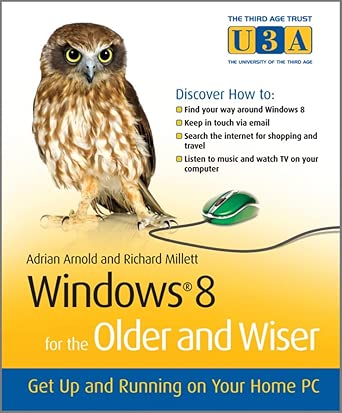
Windows 8 for the Older and Wiser: Get Up and Running on Your Computer (The Third Age Trust (U3A)/Older & Wiser)
Author(s): Adrian Arnold (Author), Richard Millett (Author)
- Publisher: John Wiley & Sons
- Publication Date: 28 Sept. 2012
- Language: English
- Print length: 332 pages
- ISBN-10: 9781119941552
- ISBN-13: 9781119941552
Book Description
As one of the biggest and most highly anticipated technology releases, Windows 8 will be new territory to many PC users and may require a generous learning curve. Windows 8 for the Older and Wiser is an ideal guide for the senior computer user. Featuring an accessible writing style, a full-colour layout, an easy-to-read font, and a generous amount of screenshots, this resource covers everything from mouse and keyboard basics to surfing the Internet.
No previous computing knowledge is assumed, so you get an easygoing style that skips the technical jargon. A friendly step-by-step approach helps you get through each topic, including what the "windows" are in Windows and how they work, how to customise your Windows desktop, get digital photos from your camera to your PC, and much more.
- Details how to create, save, organise, and find files
- Reviews all the desktop background options, font sizes, widgets, colours, and more
- Addresses troubleshooting solutions to common problems
- Walks you through setting up and using e-mail
- Demonstrates how to use the Internet for news, shopping, travel, and more
- Helps you use programs, navigate menus, enlarge fonts and icons, set the screen for best visibility, and more
Windows 8 for the Older and Wiser is an easy-to-follow guide for the senior market for making the most of Windows 8.
Editorial Reviews
From the Back Cover
Get the most out of your computer with Windows 8 for the Older and Wiser.
You don&;t need to know how electricity is generated to use a toaster. Likewise, you don&;t need to know how a computer works to use and enjoy your PC. Taking this as their guiding principle, authors Adrian Arnold and Richard Millett explain what you need to know to get up and running with the latest version of the Windows operating system. In Plain, jargon-free English they walk you through everything &; from turning on your PC and becoming familiar with screen layouts and icons, to creating files, emailing and shopping online.
In no time you&;ll learn how to:
- Confidently use a mouse, touchpad, and keyboard
- Create, save, organize, and find files
- Customise your Windows desktop to suit your needs and personal style
- Get connected to the Internet
- Set up and use email
- Get the news, shop, arrange travel and much more online
- Use programs, navigate menus, set the screen for best visibility, and much more
- Make use of desktop background options, font sizes, widgets, colours, and more
About the Author
Adrian Arnold (Colchester, UK) is a computer trainer with Age Concern in Colchester, UK and author of Computing for the Older & Wiser, Internet for the Older and Wiser and Computing with Windows 7 for the Older and Wiser. With more than a decade of experience in computing training for the over-50s, Adrian knows how to get the best from his students.


