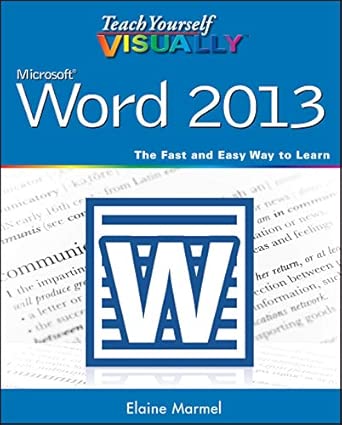
Teach Yourself VISUALLY Word 2013

Teach Yourself VISUALLY Word 2013 book cover

Teach Yourself VISUALLY Word 2013

Author(s): Elaine Marmel (Author)

  • Publisher: Visual
  • Publication Date: 1 April 2013
  • Edition: 1st
  • Language: English
  • Print length: 352 pages
  • ISBN-10: 9781118517697
  • ISBN-13: 9781118517697

Book Description

Get up to speed on the newest version of Word with visual instruction

Microsoft Word is the standard for word processing programs, and the newest version offers additional functionality you’ll want to use. Get up to speed quickly and easily with the step-by-step instructions and full-color screen shots in this popular guide! You’ll see how to perform dozens of tasks, including how to set up and format documents and text; work with diagrams, charts, and pictures; use Mail Merge; post documents online; and much more. Easy-to-follow, two-page lessons make learning a snap.

  • Full-color, step-by-step instructions show you how to perform all the essential tasks of Microsoft Word 2013
  • Explains how to set up and format documents, edit them, add images and charts, post documents online for sharing and reviewing, and take advantage of all the newest features of Word
  • Previous editions have sold more than 220,000 copies
  • The Visual learning system makes it easy to learn more while reading less

Teach Yourself VISUALLY Word 2013 helps you master the most popular word processing program quickly, easily, and visually.

Editorial Reviews

From the Inside Flap

Are you a visual learner? Do you prefer instructions that show you how to do something — and skip the long-winded explanations? If so, then this book is for you. Open it up and you’ll find clear, step-by-step screen shots that show you how to tackle more than 160 Word 2013 tasks. Each task-based spread covers a single technique, sure to help you get up and running on Word 2013 in no time.

You’ll learn to:

  • Start, save, and reopen documents
  • Use Word on a tablet PC
  • Format text, paragraphs, and pages
  • Add tables, graphics, and pictures
  • Save documents to the cloud

Designed for visual learners

  • Two-page lessons break big topics into bite-sized modules
  • Succinct explanations walk you through step by step
  • Full-color screen shots demonstrate each task
  • Helpful sidebars offer practical tips and tricks

From the Back Cover

Are you a visual learner? Do you prefer instructions that show you how to do something — and skip the long-winded explanations? If so, then this book is for you. Open it up and you’ll find clear, step-by-step screen shots that show you how to tackle more than 160 Word 2013 tasks. Each task-based spread covers a single technique, sure to help you get up and running on Word 2013 in no time.

You’ll learn to:

  • Start, save, and reopen documents
  • Use Word on a tablet PC
  • Format text, paragraphs, and pages
  • Add tables, graphics, and pictures
  • Save documents to the cloud

Designed for visual learners

  • Two-page lessons break big topics into bite-sized modules
  • Succinct explanations walk you through step by step
  • Full-color screen shots demonstrate each task
  • Helpful sidebars offer practical tips and tricks

About the Author

Elaine Marmel (Scottsdale, AZ) is the author or coauthor of nearly 40 books on diverse software topics, including all editions of the Microsoft Project Bible, Peachtree 8 For Dummies, and Teach Yourself VISUALLY Digital Photography. She has been a contributing editor to Peachtree Extra and QuickBooks Extra monthly magazines since 1994. Before she became a published author, Elaine worked on and managed small- to large-scale projects for consulting firms and government agencies. Now she is president of Marmel Enterprises, Inc., an organization that specializes in technical writing and software training. She received her undergraduate degree from the University of Cincinnati and an MBA from Cornell University.

View on Amazon

电子书代发PDF格式价格30我要求助
未经允许不得转载:Wow! eBook » Teach Yourself VISUALLY Word 2013