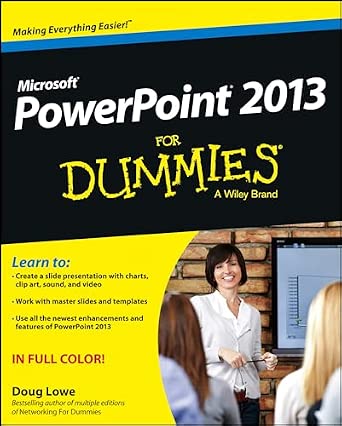
Get up and running with this full-color guide to PowerPoint 2013!
PowerPoint, the number one presentation software, has been revised and improved with the introduction of Microsoft Office 2013. With this all-new, full-color book by your side, you will learn how to take full advantage of all of PowerPoint’s powerful and dynamic capabilities. Bestselling veteran For Dummies, author Doug Lowe breaks it all down so that you can create a powerful and effective slideshow presentation with the new wide-screen theme and variant that incorporates videos, pictures, and shapes, and allows you to create customized icons using powerful tools.
Shows you how to create presentations with pizzazz using the new collection of themes, and then helps you align shapes, text boxes, and graphics
Zeroes in on all of PowerPoint’s updated features, such as zooming in and out smoothly, switch slides easily (in or out of sequence), and projecting to a second screen
Explains how to Place and track comments next to the text you’re discussing so everyone can see who replied to whom, and when
Highlights ways to work with hyperlinks, create web pages with PowerPoint, video edit, and much more
PowerPoint 2013 For Dummies points you to the power of this updated application so that you can create effective and impressive presentations.
Editorial Reviews
From the Inside Flap
Learn to:
Create a slide presentation with charts, clip art, sound, and video
Work with master slides and templates
Use all the newest enhancements and features of PowerPoint 2013
IN FULL COLOR!
Make your point with a dazzling PowerPoint presentation it’s easy with this book!
Long ago, PowerPoint led us out of the age of flip charts and felt-tip pens. Now the newest version is packed with advanced features that let you include video and animation, use a laser pointer in your presentation, draw on your slides, and present online. You can collaborate with others via SkyDrive, steal slides from a library, and more read on!
Get started right away learn to navigate the interface, create and edit slides, use Notes, and present your slideshow
Make it easy use text formatting techniques to make your presentation both readable and gorgeous
Dress it up insert pictures and screenshots, draw objects and shapes, include a chart, or add timing and narration to your slides
More for the money use templates and masters to work more efficiently, and reuse slides from a library
Work together share your presentation in SkyDrive® and allow others to comment, or create a CD and Word handouts
Open the book and find:
How to use PowerPoint on a touchscreen
Essential editing advice
Secrets of successful proofing
Directions for showing your presentation online
Cool slide design tips
How to insert online images and hyperlinks
Hints for keeping your audience awake
Things that might go wrong and how to avoid them
From the Back Cover
Learn to:
Create a slide presentation with charts, clip art, sound, and video
Work with master slides and templates
Use all the newest enhancements and features of PowerPoint 2013
IN FULL COLOR!
Make your point with a dazzling PowerPoint presentation it’s easy with this book!
Long ago, PowerPoint led us out of the age of flip charts and felt-tip pens. Now the newest version is packed with advanced features that let you include video and animation, use a laser pointer in your presentation, draw on your slides, and present online. You can collaborate with others via SkyDrive, steal slides from a library, and more read on!
Get started right away learn to navigate the interface, create and edit slides, use Notes, and present your slideshow
Make it easy use text formatting techniques to make your presentation both readable and gorgeous
Dress it up insert pictures and screenshots, draw objects and shapes, include a chart, or add timing and narration to your slides
More for the money use templates and masters to work more efficiently, and reuse slides from a library
Work together share your presentation in SkyDrive® and allow others to comment, or create a CD and Word handouts
Open the book and find:
How to use PowerPoint on a touchscreen
Essential editing advice
Secrets of successful proofing
Directions for showing your presentation online
Cool slide design tips
How to insert online images and hyperlinks
Hints for keeping your audience awake
Things that might go wrong and how to avoid them
About the Author
Doug Lowe is the bestselling author of more than 40 For Dummies books. He’s covered everything from Microsoft Office to creating web pages to technologies such as Java and ASP.NET, and has written several editions of both PowerPoint For Dummies and Networking For Dummies.
 Wow! eBook