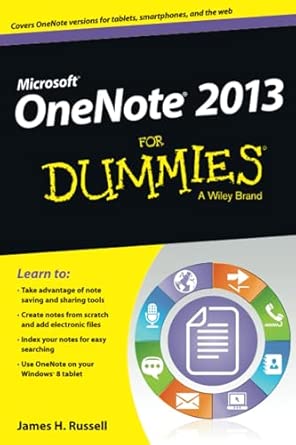
A quick guide to using Microsoft OneNote on tablets, online, or on your desktop
OneNote is the note-taking-and-sharing application that’s part of Microsoft Office. It lets you create notes by hand, as audio, or by clipping items from other electronic formats to create a file that can be indexed and searched. With the release of Office 2013, OneNote has been integrated with Windows 8-powered tablet platforms and offers advanced mobile-enhanced features. This guide includes all the basic information, guidance, and insight you need to take full advantage of everything OneNote can do for you.
OneNote is the Microsoft Office note-taking application that lets you make notes and clip items from electronic media to create a searchable file
This friendly, plain-English guide shows you how to use OneNote online, on your desktop PC, or on your Windows-powered tablet
Helps you take advantage of this highly useful and often-overlooked application
OneNote 2013 For Dummies gets you up and running with OneNote quickly and easily.
Editorial Reviews
Review
Select Guide Rating
From the Inside Flap
Learn to:
Take advantage of note saving and sharing tools
Create notes from scratch and add electronic files
Index your notes for easy searching
Use OneNote on your Windows® 8 tablet
Take note! OneNote lets you organize, access, and share notes on multiple devices
OneNote is much more than a note-taking app for students. The 2013 incarnation is a feature-rich application with online and tablet versions that enable sharing and collaboration. And this book shows you how to take full advantage of everything it offers text recognition, the ability to include data from other Office apps, and more!
Meet OneNote navigate the interface, create a Microsoft account, and set up a notebook
Note how it’s done make your first notes, organize them, and choose whether to sync your notes manually
Tag it tag notes for followup, mark ideas, identify items to be e-mailed, and establish priority
See what you mean add images, video, and audio to notes
Write on hand-write a note on your tablet’s screen and let OneNote convert it to text
Notes in the sky store notes securely on SkyDrive® and access them from any web- enabled device
A team effort share notes and collaborate via OneNote Web App
Open the book and find:
Easy ways to format notes
Tips on keeping your notes secure
Why you need a Microsoft account
All about OneNote for Windows 8
How to edit notes on Android and iOS devices
Ways to use OneNote every day
What you need to know about permissions
Ten terrific OneNote tips
From the Back Cover
Learn to:
Take advantage of note saving and sharing tools
Create notes from scratch and add electronic files
Index your notes for easy searching
Use OneNote on your Windows® 8 tablet
Take note! OneNote lets you organize, access, and share notes on multiple devices
OneNote is much more than a note-taking app for students. The 2013 incarnation is a feature-rich application with online and tablet versions that enable sharing and collaboration. And this book shows you how to take full advantage of everything it offers text recognition, the ability to include data from other Office apps, and more!
Meet OneNote navigate the interface, create a Microsoft account, and set up a notebook
Note how it’s done make your first notes, organize them, and choose whether to sync your notes manually
Tag it tag notes for followup, mark ideas, identify items to be e-mailed, and establish priority
See what you mean add images, video, and audio to notes
Write on hand-write a note on your tablet’s screen and let OneNote convert it to text
Notes in the sky store notes securely on SkyDrive® and access them from any web- enabled device
A team effort share notes and collaborate via OneNote Web App
Open the book and find:
Easy ways to format notes
Tips on keeping your notes secure
Why you need a Microsoft account
All about OneNote for Windows 8
How to edit notes on Android and iOS devices
Ways to use OneNote every day
What you need to know about permissions
Ten terrific OneNote tips
About the Author
James H. Russell is a technology writer and journalist who specializes in PC hardware and software, tablet computing, and social media. He writes for numerous online periodicals, and in 2012 Mashable.com named him one of 101 experts to follow on Google+.
 Wow! eBook