Learn Modern CSS For Better User Experience

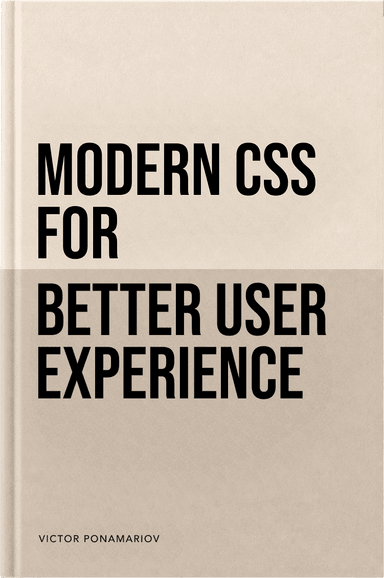
Learn Modern CSS For Better User Experience book cover

Learn Modern CSS For Better User Experience

Author(s): Victor Ponomariov (Author)

  • Publisher: https://css.vpon.me/
  • Publication Date: 2026
  • Language: English
  • Print length: 162 pages

Book Description

Stop feeling one step behind. Close the gap between what CSS can do today and what you actually use in production.

Are you still writing CSS like it’s 2021?
We went from years of stagnation to an avalanche of new CSS features. If you are still relying on JavaScript to calculate dimensions, handle basic animations, or fix focus states, your stack is already aging.

Keeping track of everything new is exhausting. It feels like you are always one step behind.

But here is the catch: you cannot just outsource this problem to an AI.
The AI trap: Speed vs. Quality
It’s tempting to ask: why not just delegate all of this styling to an AI agent? LLMs are incredible for boilerplate, but if you rely on them completely for UI architecture, you hit a ceiling fast.

AI writes legacy code by default. It falls back to brittle, outdated StackOverflow workarounds instead of using modern native tools like text-box-trim, @starting-style, or color-mix().
It lacks UX context. A model does not understand your product’s user flow, accessibility requirements, or how to shape a design system that stays coherent as the product grows.
It still needs a pilot. To force an AI to produce truly premium UI, you still have to guide it with precise, low-level technical direction every step of the way.
You still need to understand the engine
You cannot prompt your way out of a messy interface if you do not know how things work under the hood. AI is a powerful excavator, but you are still the engineer who has to know exactly where to dig.

Modern CSS for Better User Experience is your shortcut. It bridges the gap between outdated habits and modern capabilities. No abstract theory. Just practical, native CSS patterns that solve real interface problems, so you can build the resilient, premium interfaces that AI will not generate for you by default.

Table of Contents

Introduction
Page4
What you could expect from this book
Page4
Progressive enhancement and graceful degradation
Page6
State-Aware CSS
Page11
A silent revolution – the parent selector in native CSS
Page11
Accessible focus states
Page15
Styling native controls with accent-color
Page21
Real-time form validation with :user-valid and :user-invalid
Page23
Auto-resizing textareas with field-sizing
Page27
Responsive components and Layout Stability
Page31
Container queries – adapting to space, not screens
Page31
Creating consistent nested layouts with subgrid
Page39
The 100vh problem and modern viewport units
Page43
CSS Environment Variables with env()
Page46
Preventing layout shifts with aspect-ratio
Page50
Content-Aware Sizing: The Power of fit-content
Page53
Typography
Page57
The text-wrap property
Page60
Fluid Typography: Media Queries vs. clamp()
Page63
The ch unit
Page66
Truncating text with line-clamp
Page69
Perfect text alignment with text-box-trim
Page72
Light, Dark, and Adaptive Colors
Page75
The color-scheme meta tag
Page75
The light-dark() function
Page78
Generating shades with color-mix()
Page81
Styling the text cursor with caret-color
Page84
Overlays, Scrolling, and Contextual UI
Page87
Freezing the UI with inert
Page87
Native popovers and the ::backdrop API
Page90
Contextual UI with Anchor Positioning
Page94
The Final Boss of Native UI: The

Element
Page99
Preventing scroll chaining with overscroll-behavior
Page104
Preventing sticky header overlap with scroll-margin-top
Page107
Preventing layout shifts with scrollbar-gutter
Page110
Motion and Interaction Feedback
Page113
Typed CSS with @property
Page113
Animating elements on entry with @starting-style
Page117
Animating intrinsic sizes with interpolate-size
Page120
Native page transitions with the View Transitions API
Page123
Native scroll-driven animations with animation-timeline
Page127
Respecting User Preferences
Page134
The philosophy of CSS adapting to OS settings
Page134
Safe animations with prefers-reduced-motion
Page135
Improving readability with prefers-contrast
Page138
Reducing visual noise with prefers-reduced-transparency
Page140
Saving user bandwidth with prefers-reduced-data
Page142
Architecture, Performance, and Visual Polish
Page144
Controlling the cascade with @layer
Page144
Optimizing rendering with content-visibility
Page147
Native image cropping with object-view-box
Page151
Beyond rounded corners with corner-shape
Page156

View on Amazon

未经允许不得转载:Wow! eBook » Learn Modern CSS For Better User Experience