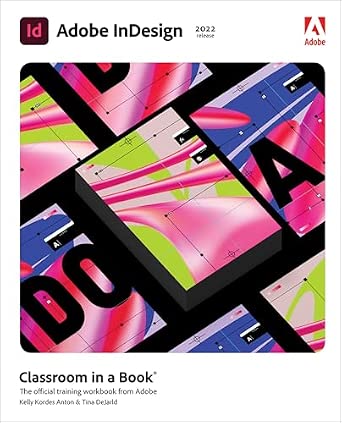
Adobe InDesign Classroom in a Book 2024 Release: The Official Training Workbook from Adobe
Author(s): Kelly Anton (Author), Tina DeJarld (Author)
Publisher: Adobe Press
Publication Date: 3 Jan. 2024
Edition: 1st
Language: English
Print length: 448 pages
ISBN-10: 0138263914
ISBN-13: 9780138263911
Book Description
The fastest, easiest, most comprehensive way to learn Adobe InDesign
Adobe InDesign Classroom in a Book 2024 Release contains 15 lessons that use real-world, project-based learning to cover the basics and beyond, providing countless tips and techniques to help you become more productive with the program. For beginners and experienced users alike, you can follow the book from start to finish or choose only those lessons that interest you. Learn to:
Build a strong foundation of typographic, page layout, and document-construction skills
Bring messages to life with beautiful typography and color
Integrate with Adobe Photoshop and Adobe Illustrator for easy image handling
Collaborate with coworkers and clients through Adobe Creative Cloud
Create effects with layers and transparency
Export work for professional printing, websites, social media, eBooks, interactive PDFs, and more
Classroom in a Book®, the best-selling series of hands-on software training workbooks, offers what no other book or training program does―an official training series from Adobe, developed with the support of Adobe product experts.
Purchasing this book includes valuable online extras. Follow the instructions in the book's "Getting Started" section to unlock access to:
Downloadable lesson files you need to work through the projects in the book
Web Edition containing the complete text of the book, interactive quizzes, and videos that walk you through the lessons step by step
What you need to use this book: Adobe InDesign 2024 Release software, for either Windows or macOS. (Software not included.)
Editorial Reviews
About the Author
Kelly Kordes Anton has written and edited dozens of books and training resources on publishing technologies and InDesign, including nine previous editions of Adobe InDesign Classroom in a Book. She is a freelance writer based in Littleton, Colorado, and she also writes about ergonomics and lean manufacturing.
Tina DeJarld has worked on the front lines of taking designs from the computer screen to real-world production since before InDesign 1.0. She is highly accomplished in both prepress and graphic design production and passionate about building files that will work correctly. Tina has handled thousands of large and complex projects, becoming an expert on InDesign best practices and techniques. Tina is currently a senior production artist at thePub, a production studio in Chicago.
Adobe InDesign Classroom in a Book (2022 release): The Official Training Workbook from Adobe
Author(s): Kelly Anton (Author), Tina DeJarld (Author)
Publisher: Pearson
Publication Date: 22 Dec. 2021
Edition: 1st
Language: English
Print length: 448 pages
ISBN-10: 0137622961
ISBN-13: 9780137622962
Book Description
Build a strong foundation of typographic, page layout, and document-construction skills through the step-by-step lessons in this book. The real-world projects―ranging from a printed postcard with a QR code to an interactive Adobe PDF with form fields―are designed to guide novice Adobe InDesign users through the most fundamental features to the most powerful. Experienced InDesign users learn best practices and explore features that will rapidly become a designer's best friend, such as intelligent image placement and access to the Adobe Fonts library.
The fastest, easiest, most comprehensive way to learn Adobe InDesign
Classroom in a Book®, the best-selling series of hands-on software training workbooks, offers what no other book or training program does―an official training series from Adobe, developed with the support of Adobe product experts.
Adobe InDesign Classroom in a Book (2022 release) contains 15 lessons that cover the basics and beyond, providing countless tips and techniques to help you become more productive with the program. You can follow the book from start to finish or choose only those lessons that interest you.
Purchasing this book includes valuable online extras. Follow the instructions in the book's "Getting Started" section to unlock access to:
Downloadable lesson files you need to work through the projects in the book
Web Edition containing the complete text of the book, interactive quizzes, and videos that walk you through the lessons step by step
What you need to use this book: Adobe InDesign (2022 release) software, for either Windows or macOS. (Software not included.)
Note: Classroom in a Book does not replace the documentation, support, updates, or any other benefits of being a registered owner of Adobe InDesign software.
Editorial Reviews
Review
Select Guide Rating
About the Author
Kelly Kordes Anton has written and edited dozens of books and training resources on publishing technologies and InDesign, including nine previous editions of Adobe InDesign Classroom in a Book. She is a freelance writer based in Littleton, Colorado, and she also writes about ergonomics and lean manufacturing.
Tina DeJarld has worked on the front lines of taking designs from the computer screen to real-world production since before InDesign 1.0. She is highly accomplished in both prepress and graphic design production and passionate about building files that will work correctly. Tina has handled thousands of large and complex projects, becoming an expert on InDesign best practices and techniques. Tina is currently a senior production artist at thePub, a production studio in Chicago.
Author(s): Kelly Anton (Author), Tina DeJarld (Author)
Publisher: Adobe Press
Publication Date: 12 Feb. 2025
Edition: 1st
Language: English
Print length: 448 pages
ISBN-10: 0135377455
ISBN-13: 9780135377451
Book Description
The fastest, easiest, most comprehensive way to learn Adobe InDesign
Adobe InDesign Classroom in a Book 2025 Release contains 15 lessons that use real-world, project-based learning to cover the basics and beyond, providing countless tips and techniques to help you become more productive with the program. For beginners and experienced users alike, you can follow the book from start to finish or choose only those lessons that interest you. Learn to:
Bring messages to life with expert typography tools, integration with Adobe Photoshop and Adobe Illustrator, and color, layering, and transparency effects
Easily create complementary colors, format text, and find just the right image using new AI features such as Color Themes, Style Packs, and Text to Image
Use InDesign and its enhanced powerful tools for exporting work for professional printing, websites, social media, ebooks, and more
Classroom in a Book®, the best-selling series of hands-on software training workbooks, offers what no other book or training program does – an official training series from Adobe, developed with the support of Adobe product experts.
Purchasing this book includes valuable online extras. Follow the instructions in the book’s “Getting Started” section to unlock access to:
Downloadable lesson files you need to work through the projects in the book
Web Edition containing the complete text of the book, interactive quizzes, and videos that walk you through the lessons step by step
What you need to use this book: Adobe InDesign 2025 Release software, for either Windows or macOS. (Software not included.)
Editorial Reviews
Review
Select Guide Rating
About the Author
Kelly Kordes Anton has written and edited dozens of books and training resources on publishing technologies and InDesign, including nine previous editions of Adobe InDesign Classroom in a Book. She is a freelance writer based in Littleton, Colorado, and she also writes about ergonomics and lean manufacturing.
Tina DeJarld has worked on the front lines of taking designs from the computer screen to real-world production since before InDesign 1.0. She is highly accomplished in both prepress and graphic design production and passionate about building files that will work correctly. Tina has handled thousands of large and complex projects, becoming an expert on InDesign best practices and techniques. Tina is currently a senior production artist at thePub, a production studio in Chicago.
Author(s): Kelly Anton (Author), Tina DeJarld (Author)
Publisher: Adobe Press
Publication Date: 10 Mar. 2026
Edition: 1st
Language: English
Print length: 448 pages
ISBN-10: 0135495369
ISBN-13: 9780135495360
Book Description
The fastest, easiest, most comprehensive way to learn Adobe Photoshop
Adobe InDesign Classroom in a Book 2026 Release contains 14 lessons that use real-world, project-based learning to cover the basics and beyond, providing countless tips and techniques to help you become more productive with the program. For beginners and experienced users alike, you can follow the book from start to finish or choose only those lessons that interest you.
Learn to:
Bring messages to life with expert typography tools, seamless integration with Adobe Photoshop and Adobe Illustrator, and dynamic effects such as color blending, layering, and transparency.
Boost creativity and efficiency with AI-powered and productivity tools―from Color Themes and Style Packs to Text to Image, Generative Expand, and Flex Layout. Effortlessly generate harmonious color palettes, create beautiful typography, find the perfect visuals, and adapt layouts with ease.
Publish anywhere with confidence using InDesign’s robust export capabilities, optimized for professional printing, websites, social media, ebooks, and more.
Classroom in a Book®, the best-selling series of hands-on software training workbooks, offers what no other book or training program does – an official training series from Adobe, developed with the support of Adobe product experts.
Purchasing this book includes valuable online extras. Follow the instructions in the book’s “Getting Started” section to unlock access to:
Downloadable lesson files you need to work through the projects in the book
Web Edition containing the complete text of the book, interactive quizzes, and videos that walk you through the lessons step by step
What you need to use this book: Adobe InDesign 2026 Release software, for either Windows or macOS. (Software not included.)
 Wow! eBook